|
WinMPG Video Convert is a complete solution for video file conversion. It is a avi converter and it supports
avi to 3g2,
avi to flv,
avi to flash,
avi to swf,
avi to gif,
avi to mov,
avi to ipod,
avi to psp,
avi to asf,
avi to mpeg,
avi to 3gp,
avi to mp4,
avi to mpeg1,
avi to mpeg4,
avi to mpg,
avi to svcd,
avi to rm,
avi to rmvb,
avi to vcd,
avi to wmv and
avi to mpeg2.
WinMPG Video Convert supports almost all media file format and mutual conversion, include avi, mpeg1, mpeg2, mpeg-4, vcd, svcd, dvd, divx, asf, wmv, rmvb, rm, 3gp, mp4, QuickTime mov, and flash swf. Preview is supportted.
How to convert AVI to other video formats?
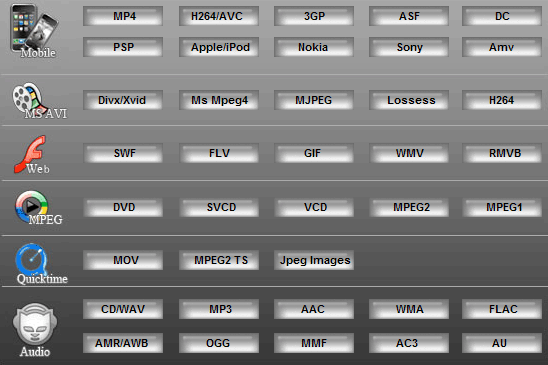
1. In this interface, you can convert avi to 3gp, vcd, dvd, wmv. For more convesion formats, please click the button "More..." on the main interface.

2. Conversion list dialog: select the format to convert.
3. Convert dialog
|
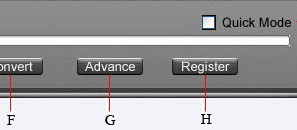
A) Help
B) Select the AVI file
C) Change the path of the output file
D) Choose the quality of the output file
E) The quick mode(generally default, only change it when you can't convert the file.)
F) Convert
G) Advance setting(if you need,set detailed parameters for incisions,video,audio)
H) Register
|
4. Click the button  , start to convert AVI file
|